Hostile Mob. "Canyons".
Published on January 1, 2023
By globecollector
👁️🗨️ 47
25
★
★
★
★
★
Rate it
Screenshots
Description
The purpose of these largely subterranean structures is to allow the user to obtain mob drops and experience points in a relatively safe manner.
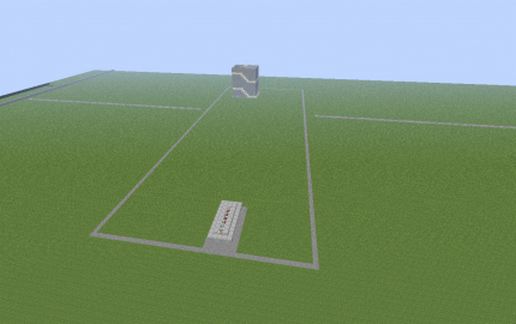
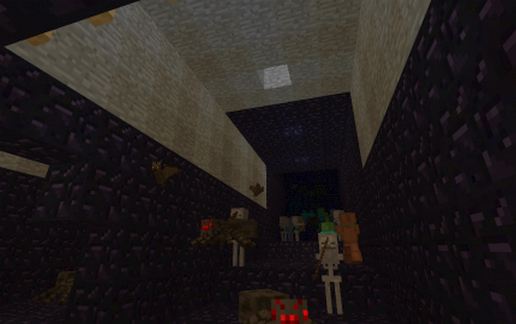
The overall structure primarily consists of three large, long rooms with terraced floors with a grille and a balcony at one end. The rooms, which I have dubbed "canyons" are lined with Minecraft's second most durable material, Obsidian producing a dark, mob spawning environment whilst containing creeper explosions and protecting the user from these said explosions. This is a "freestyle" structure, it does not represent any real world structure.
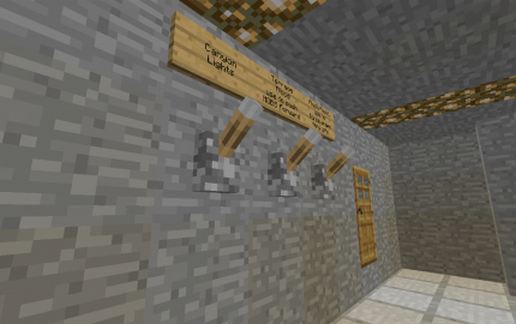
The balcony can be used to goad the mobs or levers in the corridor can be used to release a terrace flood from the far end to flush the mobs up to the grille for engagement. Two further levers control lights and a second flood to push drops through the grille. Endermen and spiders can be engaged on the balcony.
Two wooden doors gain access to the hostile space to allow difficult drops to be recovered. If this is to be used on the "hard" difficulty of the game, it is recommended these be replaced with metal doors.
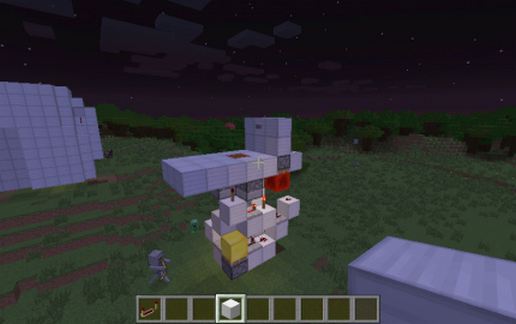
Although most of the structure is subterranean a small structure on the surface covers a shaft leading down to the main structure which includes a bedroom, storeroom/workshop and "lab".
It is recommended to trial this structure on a creative, deep super-flat map prior to final cropping and move to your main working map. Considerations of locating this structure in a high mob spawn area and lighting all caves beneath and nearby as well as the surface to force mobs to spawn in the dark "canyons" should be taken prior to final placement.
The structures can be cloned and "daisy chained" for multi-player use or simply to increase the spawn rate. Penetrates 18 blocks into the ground.
The overall structure primarily consists of three large, long rooms with terraced floors with a grille and a balcony at one end. The rooms, which I have dubbed "canyons" are lined with Minecraft's second most durable material, Obsidian producing a dark, mob spawning environment whilst containing creeper explosions and protecting the user from these said explosions. This is a "freestyle" structure, it does not represent any real world structure.
The balcony can be used to goad the mobs or levers in the corridor can be used to release a terrace flood from the far end to flush the mobs up to the grille for engagement. Two further levers control lights and a second flood to push drops through the grille. Endermen and spiders can be engaged on the balcony.
Two wooden doors gain access to the hostile space to allow difficult drops to be recovered. If this is to be used on the "hard" difficulty of the game, it is recommended these be replaced with metal doors.
Although most of the structure is subterranean a small structure on the surface covers a shaft leading down to the main structure which includes a bedroom, storeroom/workshop and "lab".
It is recommended to trial this structure on a creative, deep super-flat map prior to final cropping and move to your main working map. Considerations of locating this structure in a high mob spawn area and lighting all caves beneath and nearby as well as the surface to force mobs to spawn in the dark "canyons" should be taken prior to final placement.
The structures can be cloned and "daisy chained" for multi-player use or simply to increase the spawn rate. Penetrates 18 blocks into the ground.
Download: Hostile Mob. "Canyons". schematic for Minecraft
| Format | Size | Use with | |
|---|---|---|---|
.litematic hostile-mob.-"canyons"..litematic |
31.74 KB | Litematica (Java) — more Litematica schematics |
|
.schem hostile-mob.-"canyons"..schem |
4.50 KB | WorldEdit / FAWE |
|
.schematic hostile-mob.-"canyons"..schematic |
9.73 KB | Legacy / online installer |
|
Install this build directly on your Minecraft map
Auto-converted from the original format; container contents (chests, signs) may be missing.
📘 How to use with Litematica (click to expand)
- Put the downloaded
.litematicfile into the.minecraft/schematics/folder. - In game, press M to open the Litematica menu and choose Load Schematics.
- Select the file in the list and click Load Schematic.
- Position the placement where you want it and build — or paste it instantly in creative with Easy Place mode.
Requires the Litematica mod (Java Edition).
More builds: Litematica schematics.